






Dickson Support Database
Sensor Information and Behaviors
About Understanding Sensor/Calibration Information on DicksonOne #
- When replacing sensors on a device, there are a couple of behaviors that may occur on the interface, and to understand those behaviors this article will explain some of the expectations and details
- When swapping sensors of the same model type, the channels on the interface should continue as one, and when they are different model types the behavior may change
- Sensor information regarding when sensors where calibrated and the previous sensors that have been connected to a device are found on a Device Settings page
Understanding Sensor Swapping and Sensor History #
Section 1: Same Model Swapping #
When sensors of the same model type are swapped on a device, i.e., RTHM (Glycol Thermistor Sensor), the graph will continue as the same line for the sensor on the interface
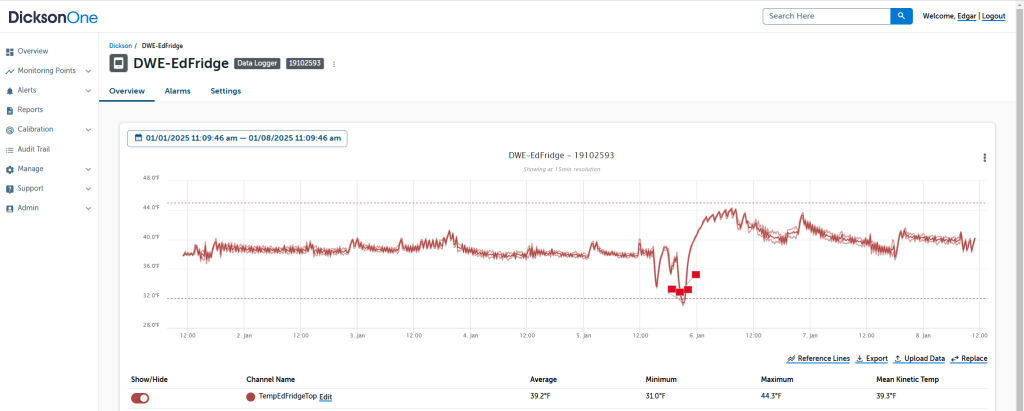
If an RTHM sensor is swapped with another RTHM sensor, the channel will be displayed as one on the graph
Section 2: Different Model Swapping #
Section 2: #
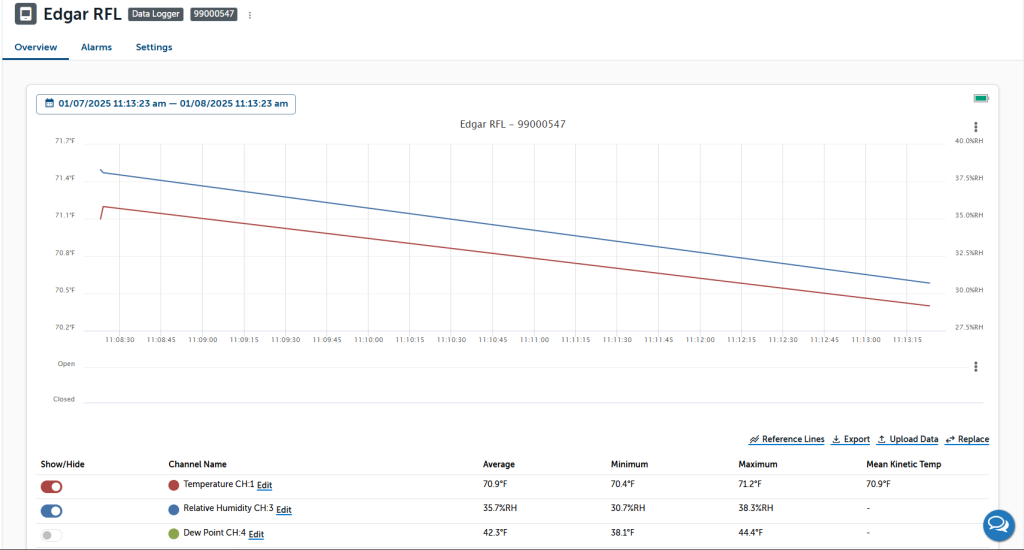
When swapping a sensor with three channels (Temperature, Humidity, and Dew Point) to a single-channel Temperature sensor, no new channels will be created. The single-channel Temperature sensor will take over the existing Temperature channel previously used by the three-channel sensor
Please see the chart below for further information on swapping between sensors.
| Plugged in Sensor | Swapped with this Sensor | Expected Behavior |
| RTRH | RTRH Sensor | No new Channels |
| RTRH | Single Channel Temperature Sensor | No new Channels |
| RTRH | 2 channels Temperature Sensor | 2 new Temperature channels |
| RS010 | RS010 | No new Channels |
| RS010 | RS030 (Single Channel Temp) | No new Channels |
| RS010 | RS021 ( 2 Channel Temp) | 2 new Temperature channels |
| RTHM2 ( 2 channel temps) | RTRH Sensor | 3 new channels |
| RTHM2 ( 2 channel temps) | Single Channel Temperature Sensor | No new Channels |
| RTHM2 ( 2 channel temps) | 2 Channel Temperature Sensor | No new Channels |
| RS021 ( 2 Channel Temp) | RS010 | 3 new channels |
| RS021 ( 2 Channel Temp) | RS030 (Single Channel Temp) | No new Channels |
| RS021 ( 2 Channel Temp) | RS021 ( 2 Channel Temp) | No new Channels |
| RKTC (1 channel temp) | RTRH Sensor | 3 new channels |
| RKTC (1 channel temp) | Single Channel Temperature Sensor | No new Channels |
| RKTC (1 channel temp) | 2 Channel Temperature Sensor | 2 channels |
| RS030 (1 Channel Temp) | RS010 | 3 new channels |
| RS030 (1 Channel Temp) | RS030 (Single Channel Temp) | No new Channels |
| RS030 (1 Channel Temp) | RS021 ( 2 Channel Temp) | 2 channels |
Note: Please continue to read below to review more information on Sensor Information
Section 3: Reviewing Sensor History #
To identify when sensors have been removed and replaced with new ones on a device, go to the Device Settings page > click on Sensor History
- Current Sensors attached to the device are documented
- The port number will be displayed (1 port only for DWE models and 2 ports for TWE/TWP models)
- The Channels that you name your sensors on the graph will be displayed here
- Calibrated date includes when the sensors were calibrated at Dickson
- When the sensor last reported to DicksonOne
- Sensor History will include the current sensors attached to the device as well as previously attached sensors that have reported through the device
