



Dickson Support Database
Audit Trail
About The Audit Trail #
- The Audit Trail automatically records information about how an organization is using the DicksonOne system.
- The Audit Trail is an important feature for organizations in highly compliant environments. Creating an event trail that can be referenced at any time.
How to use the Audit Trail #
The user name, time, date, device (when applicable), and a brief notation are added to the log when any of the following events occur:
- Users log in or out of the DicksonOne Web Portal
- Device or location information is added or changed
- Alarms are added or changed
- Users are added or their permissions changed
- Data is exported
- Annotations are made or changed in the graph area.
- To view the Audit Trail, click Audit Trail on the left of the page.
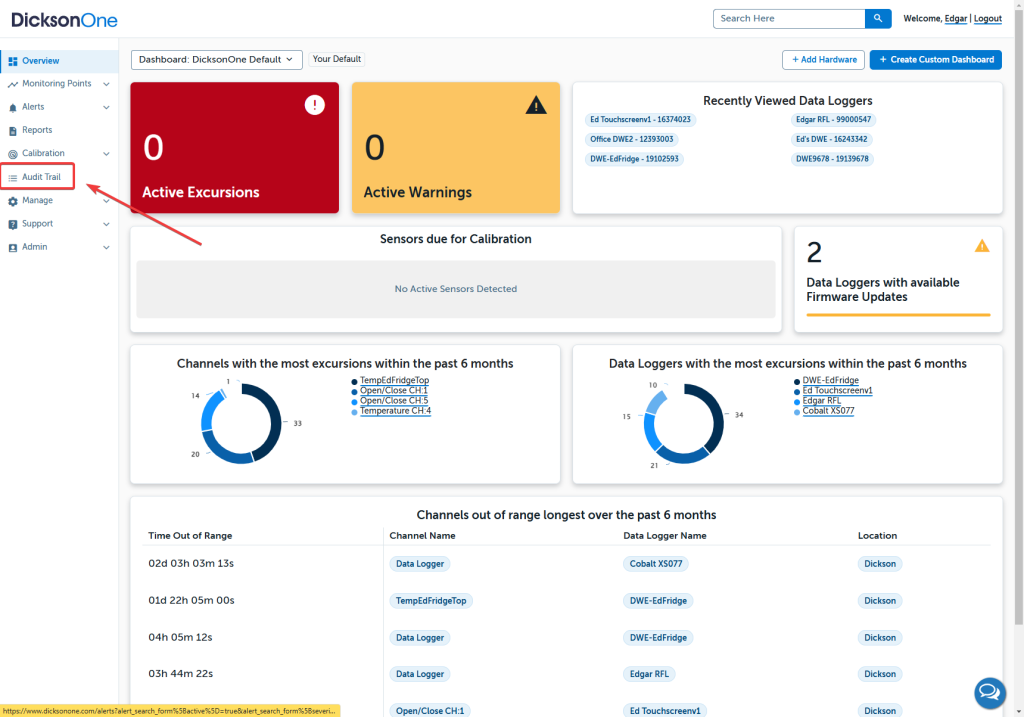
On the Audit Trail you’ll see the following:
- Time Zone – changes the time zone the events are reported in (defaults to browser’s time zone).
- Filter – filter the results to exactly what you want.
- Export – export all events or just a filtered set to a CSV file.
- Event Detail – Each line is an individual event or set of changes.
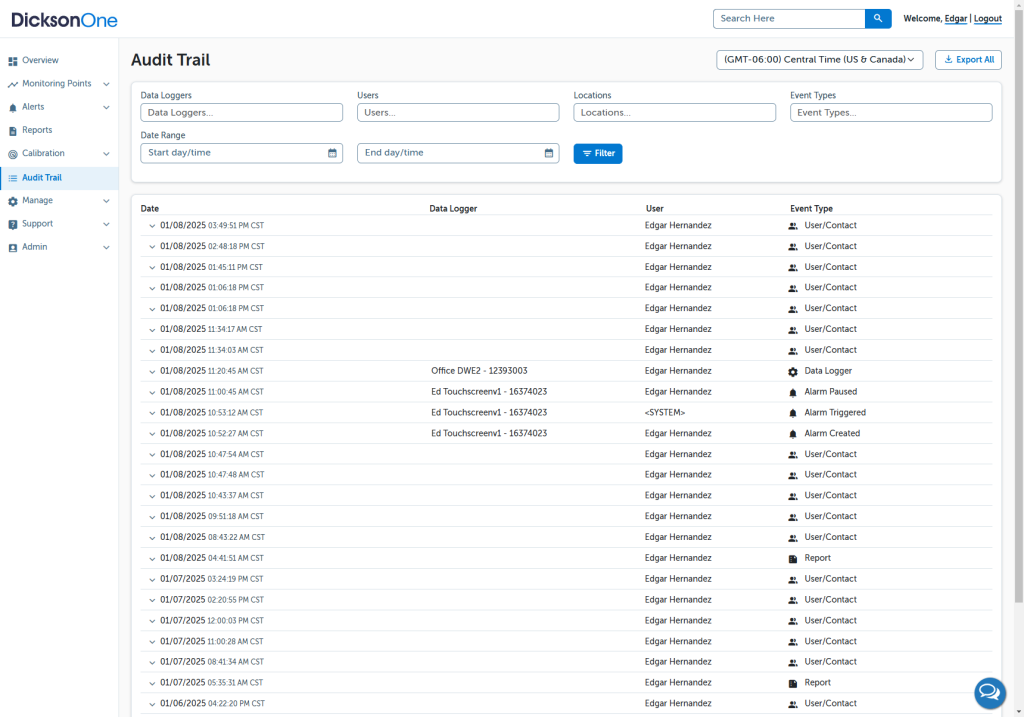
Filtering: #
You can filter the audit trail based on a number of things:
- A specific device or set of devices
- A specific user or group of users
- Type of event
- Date range
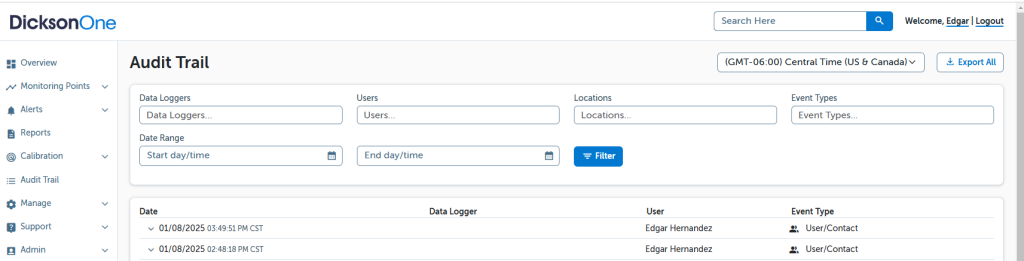
Details: #
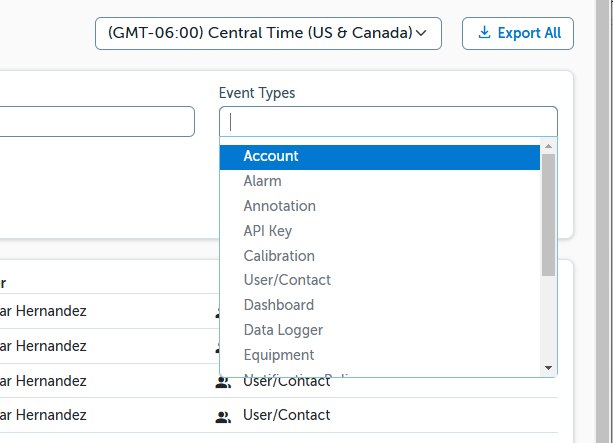
The Audit Trail captures a number of different types of data including:
- Account – anything relating to account settings
- Alarm – anything related to the creation, deletion, editing, pausing, commenting, or acknowledgement of an alarm
- Annotation – a user has added an annotation to the graph of a device
- Device – a user has added, deleted, or edited a device
- Export – a user has exported data for a device
- Location – A location has been added, deleted, or edited
- User – A user has been added, deleted, or edited
- Report – A user has created, deleted, or edited a report
- System – The system has performed an action based on alarms or other programmed behavior (this includes alarms that were triggered)
Note:
You can only track events for users who have and use their own account.