


Dickson Support Database
Create Your DicksonOne Account
About Creating an Account #
- To create a DicksonOne account, an Email Address will be required
- If you are attempting to access an existing account, please contact your account administrator as duplicate accounts cannot be merged
- After your account is created you can invite other users to your account
How to Create a DicksonOne Account #
Go to DicksonOne.com
- Click create an account
- If you are an active user already, you can sign in using your Active Directory credentials
- or log in using your Email and Password
If you are attempting to become a user to an existing account, please contact your account administrator and have the account administrator add you as a user.

Important:
By default, the first person who signs up for their DicksonOne account is considered the account’s “Owner.” This individual has unique capabilities compared to other users.
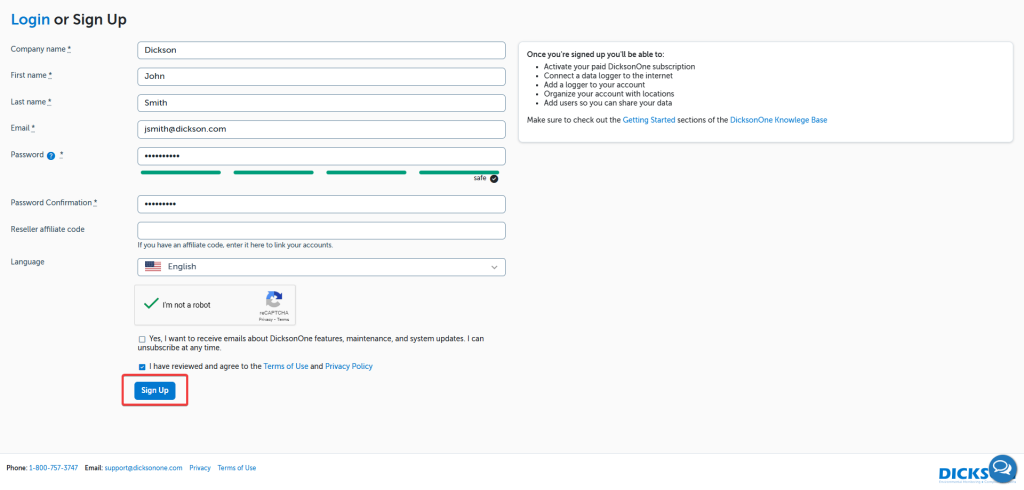
- Enter the required information including:
- Company Name
- Your first name
- Your last name
- Your email
- A secure password x2
- Opt-in to the desired email list(s)
- Confirm that you’re not a robot
- Hit the “Sign up” button