



'/%3E%3Cpath%20d='m720%20345%2015-45%2015%2045-39-28h48'/%3E%3Cpath%20id='s'%20d='m675%2057%208%2026%2026-10-15%2023%2023%2014-27%202%204%2027-19-20-19%2020%204-27-27-2%2023-14-15-23%2026%2010'/%3E%3Cuse%20href='%23s'%20x='133'%20y='123'/%3E%3Cuse%20href='%23s'%20x='-150'%20y='163'/%3E%3Cuse%20href='%23s'%20y='400'/%3E%3Cuse%20href='%23s'%20transform='matrix(2.1%200%200%202.1%20-1192%20240)'/%3E%3C/svg%3E)


DicksonOne Webinar: New Interface Preview
We recently previewed the new interface for our DicksonOne environmental monitoring system. Check out the preview and learn how our new environmental monitoring system interface can help you.

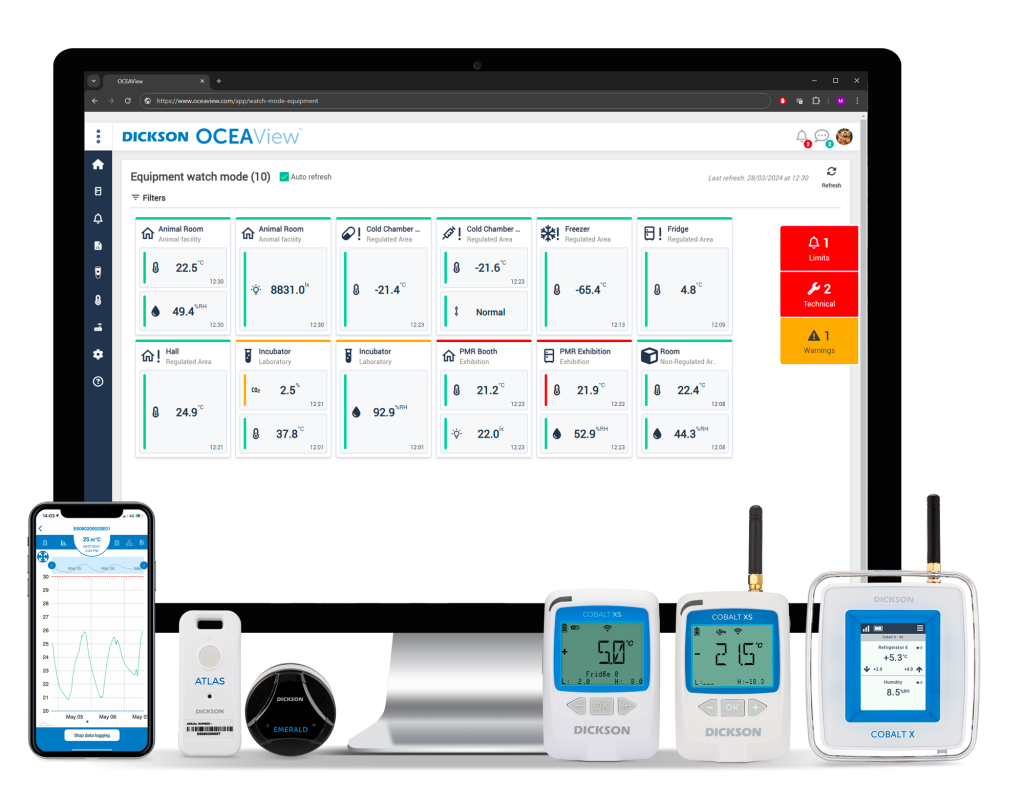
Recently, we hosted a quick webinar introducing some updates users will see to the DicksonOne Interface. This update will lay the groundwork for new features and products that will be added to DicksonOne in the coming months. During the webinar, we received some great questions that we thought were worthy of sharing. Below you will find a link to the recording of the webinar along with the Q&A that also includes some links to helpful resources.
If you have additional questions feel free to reach out to us at su*****@********ne.com
New Interface Preview
[su_youtube url=”https://www.youtube.com/watch?v=yErRzRLHK1E&feature=youtu.be” width=”500″ height=”900″]
Q&A
Q: Will there be an update to the Knowledge Base with new screenshots incorporating the new designs?
A: As we introduce new DicksonOne designs, we will update the knowledge base so that the how-to articles reflect the current interface.
Devices and Sensors
Q: Will deleted sensors show up on the devices page with the new upgraded designs?
A: At this time, we have not made any changes to the interface behavior for when sensors are replaced but some of the functionality and new products begin to pave the way for these improvements.
Q: Can a user change the channel colors on the graph? For example, the ability for a user to have the humidity channels in blue or temperature in red, etc.?
A: These changes will not include the ability for users to change the colors of the channel colors on the graph, but we have noted this feedback.
Q: Can archived devices be placed in a separate folder and away from the current devices in use on the interface or create an archive locations?
A: There is an option in the lower left of the list of devices where a user can choose to hide or show archived devices. Alternatively, we do recommend designating a location for archived devices. Once a location for archived devices is created, a user can go to Manage > Devices and relocate the archive devices to the new location in bulk.
Reports
Q: Are there new reports introduced in the interface and can uses select specific data ranges for a report?
A: The new designs do not include any changes to reports. If you desire a specific date range for a report, we offer a ‘Once’ option for the frequency. This allows the user to select a specific data range.
Mobile
Q: Is there a DicksonOne mobile app?
A: Yes. Visit Google Play or Apps on iPhone to download DicksonOne. The app allows uses basic functionality such as the ability to acknowledge and comment on alarms along with viewing current and recent readings.DicksonOne on Google Play and on Apple Apps.
Q: Is the mobile application upgrading?
A: Not at this time. The new designs are for the DicksonOne web application. We anticipate making upgrades to the mobile app in Q3.
Hardware
Q: Is this a new TWE screen/device or only a software upgrade?
A: This is a software upgrade only. Though we plan on implementing new interface functionality to the DicksonOne Touchscreen devices, the TWE/TWP interface remains the same for now.
What Is OPC UA, and Why Does It Matter for Regulated Industries?
If you work anywhere near a plant floor, a cleanroom, or a hospital facilities team, you’ve probably heard the term OPC UA, usually in the…

Temperature Mapping for Pharmaceutical Storage and Distribution
Temperature mapping and monitoring is an important part of storing and handling pharmaceutical products. Here are the basics of temperature mapping protocols.

Cloud Storage Transforming Environmental Monitoring Compliance within Pharma
Cloud-based IT platforms have several advantages for highly regulated industries. Here, we’ll discuss the role of cloud computing for environmental monitoring in pharma/biotech manufacturing and...
6 Must-Have Environmental Monitoring Features for Pharma Manufacturers
For pharmaceutical manufacturers, you know environmental monitoring systems are a key part of any quality management system, essential for pharmaceutical storage control, and serve as…
Ready to chat?
Talk To A Specialist
Our trained team of professionals is ready to help you through the compliance process from start to finish. Reach out today to start the conversation. Call (630) 563-4209 or send us a message.